Gable box dieline template
A free gable box dieline template in 3 common sizes (4 x 4 x 5, 6 x 6 x 7, 8 x 8 x 9 inches, inside dimensions), drawn from the same geometry our Studio uses. Each one downloads as a true-scale PDF or SVG with cut and fold lines drawn and the bleed and safe distances noted, or opens in the Studio so you can change the size. Two roof panels meet at the top to form a carry handle. It is the takeout, bakery and gift-favor shape, and it closes without tape.
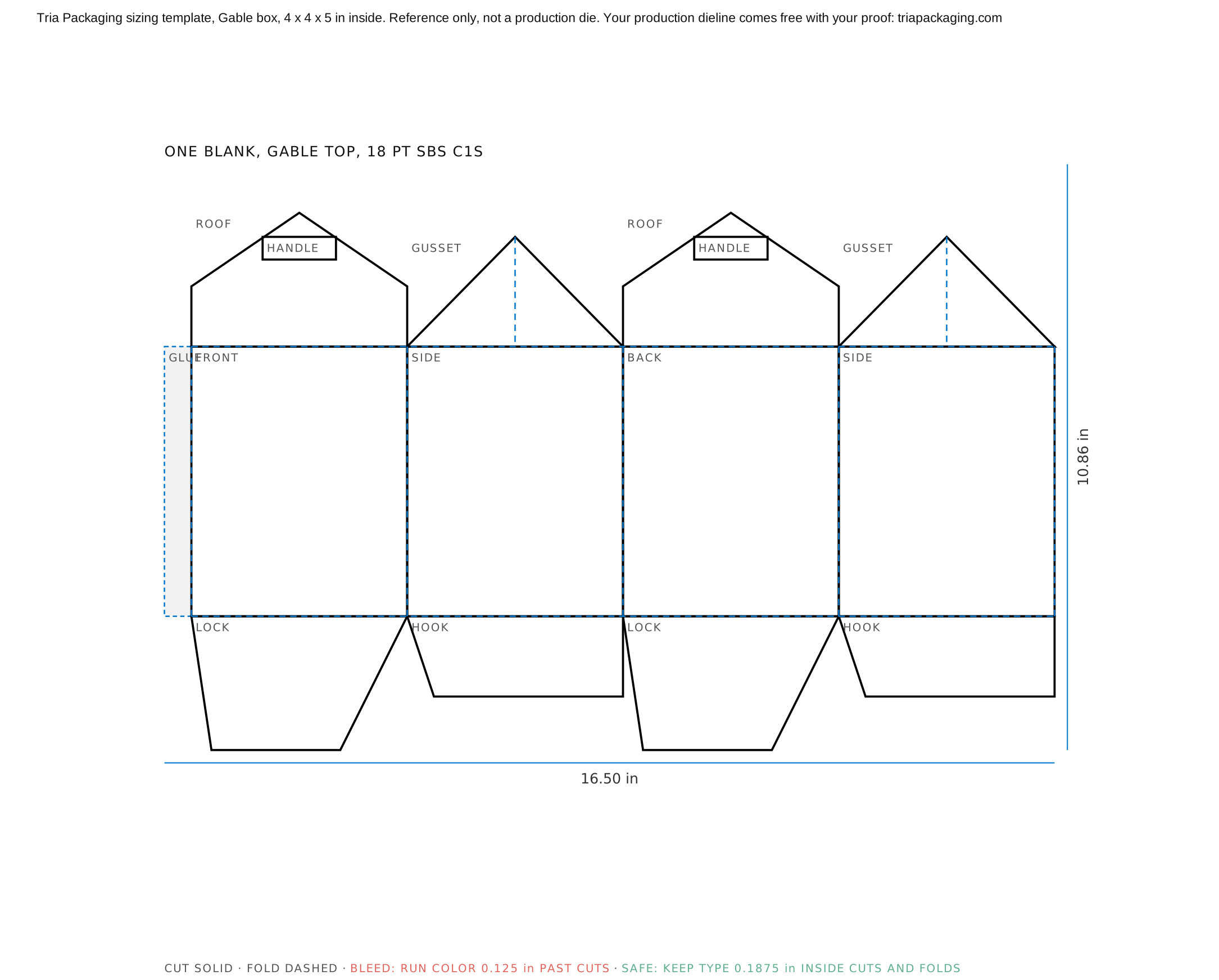
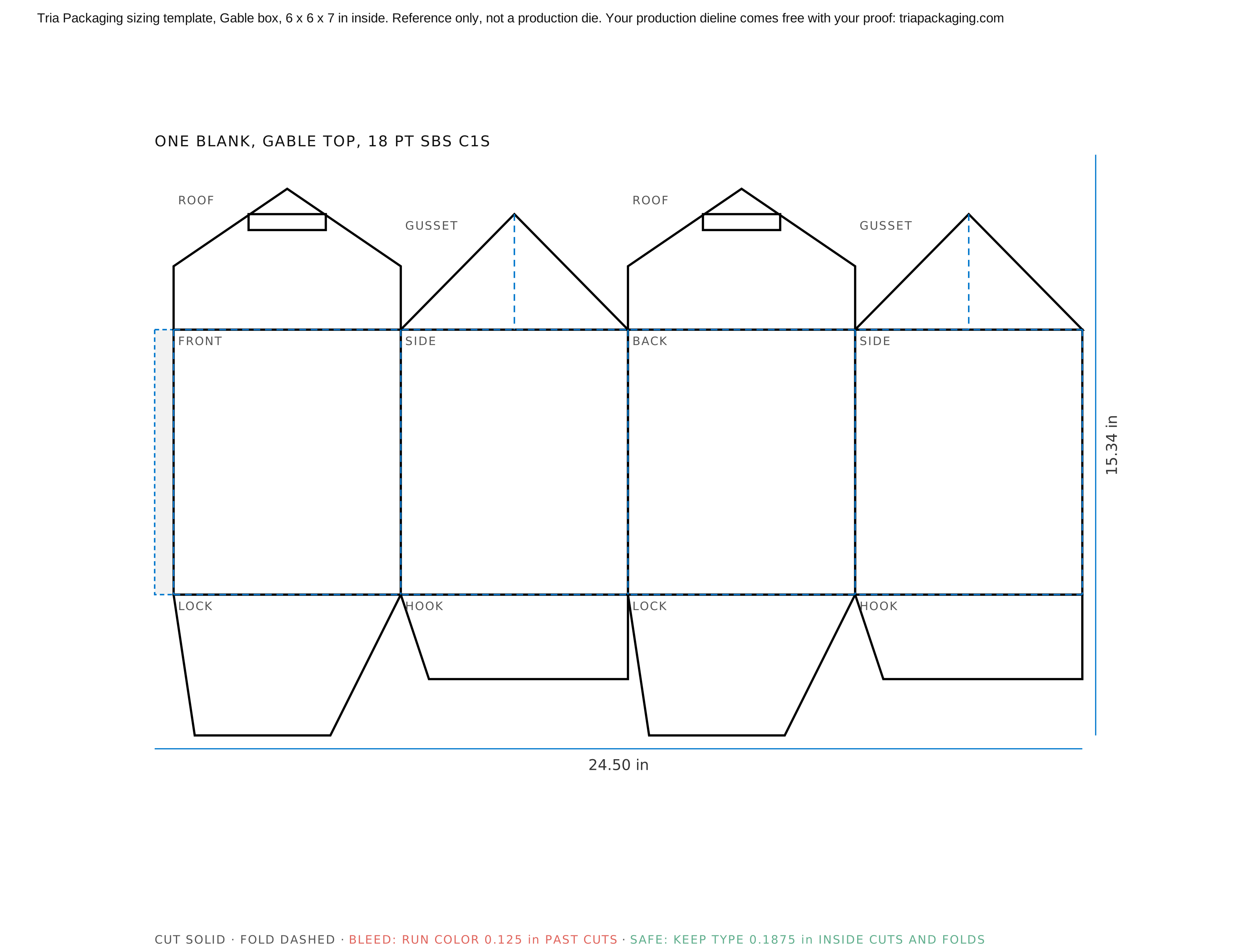
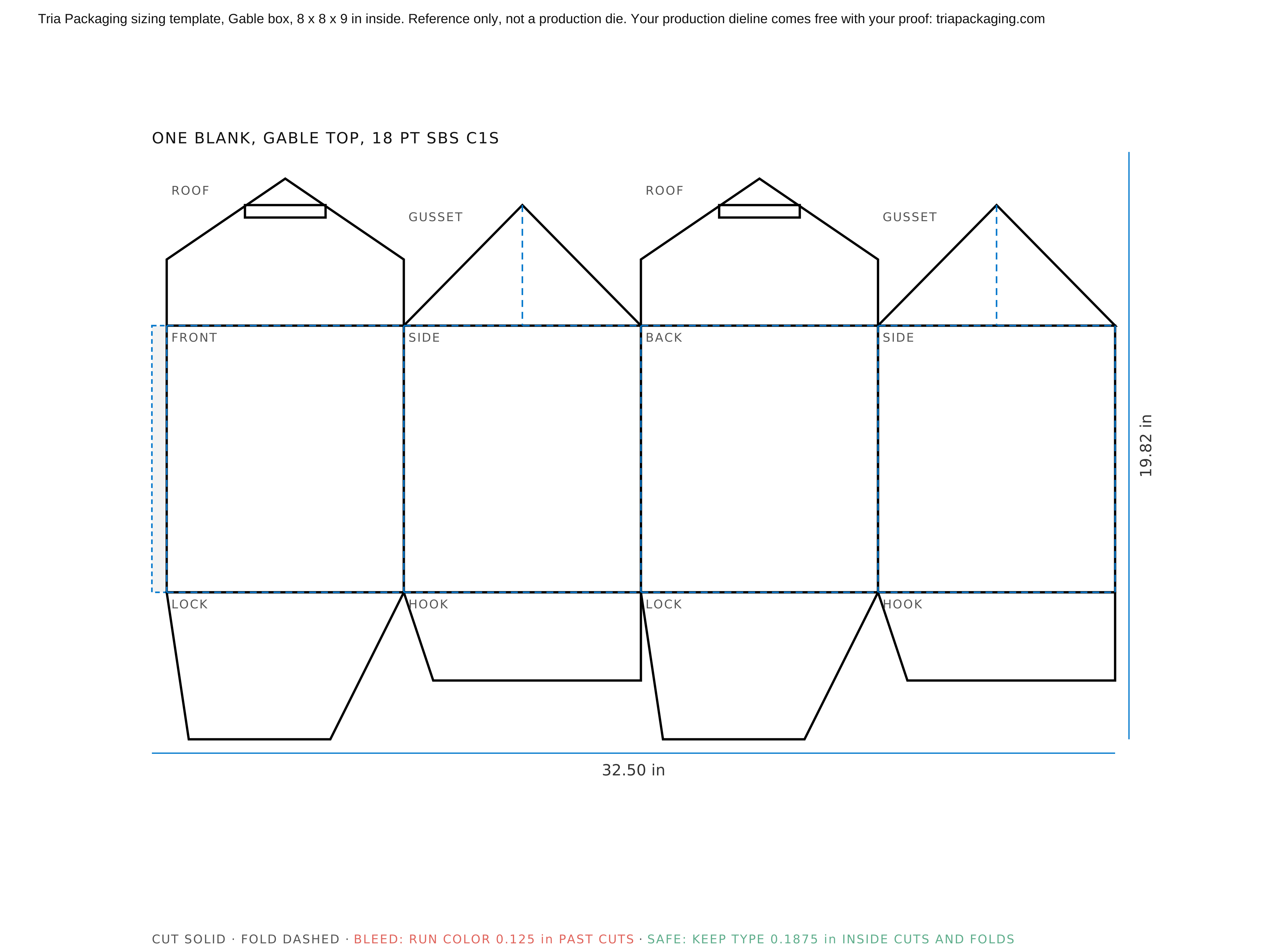
How to use this template
Solid lines are cuts and dashed lines are folds. Run any background color 0.125 inch past every cut line (the bleed), so a slight shift on the cutter never leaves a white edge, and keep type and logos at least 0.1875 inch inside cut and fold lines (the safe area). Check the flaps too: anything printed on a tuck or dust flap shows when the box is open. Place the template on its own locked layer, design on the layers above it, and hide it before you export.
Check the size against the product, not the other way around. The drawing is built from inside dimensions, so measure the product, add clearance for board and hand packing, and only then pick the nearest template or set your own size with the sliders in the Studio.
Before anything is printed
These templates are for sizing and layout. When you order, we draw the production dieline for your exact size, board and finish and send it with a digital proof, both free. Minimum order is 200 units, and board and wrap samples are free if you want to feel the material first.
Questions people ask
Can I send this template to any printer?
Use it to size and lay out artwork, not as a production die. Every converter adjusts flaps, locks and glue areas to its own tooling and board, so the printer you order from should supply the final dieline. At Tria that comes free with your digital proof, usually within one business day of your artwork.
Are these inside or outside dimensions?
Inside. The size on each template is the space your product sits in. The outside is larger by the board thickness, about 0.018 inch per wall for the board shown, which is why the outside size is listed under each drawing.
My size is not listed. What do I do?
Open any template in the Studio and set your own inside dimensions with the sliders, in quarter-inch steps. The drawing, the flat blank size and the board update as you move them, and you can send the result to us for a quote.